
Windows local accounts
What this page covers
Section titled “What this page covers”Local account passwords on Windows hosts can be replaced on a schedule as well. The new password travels on standard input only, and once it is set the target verifies it on the spot; a verification that does not pass puts the old value back on the target. Results fall into three states, succeeded, failed, and pending verification, so “did the remote actually change” has a definite answer.
What you need
Section titled “What you need”One of two channels:
- WinRM: the target has the WinRM service and listener on, the local account token policy set so a local administrator can be used, unencrypted traffic left unaccepted, and basic authentication left off. Provide a server certificate for https. The channel authenticates with NTLM and always turns on message level encryption.
- Windows SSH: the target has the OpenSSH service on. Commands call 64-bit PowerShell explicitly and non-interactively, so a default shell of either the command prompt or PowerShell works.
How to set it up
Section titled “How to set it up”1. Set the rotation channel on the asset
Section titled “1. Set the rotation channel on the asset”Set “rotation channel” in the asset form to WinRM, Windows SSH, or none. Left unset, it follows from the protocol: SSH assets use the POSIX channel and the rest stay off. Both Windows channels can hang on assets with the RDP or the SSH protocol.
With WinRM chosen, fill in as well: the protocol (http or https), the port (0 takes the protocol default), and the TLS verification mode (the system trust store, a named CA, or none). With a named CA, paste the PEM certificate, whose format is checked when you save.
With Windows SSH chosen, an SSH port dedicated to rotation can be filled in.
2. Create a rotation plan
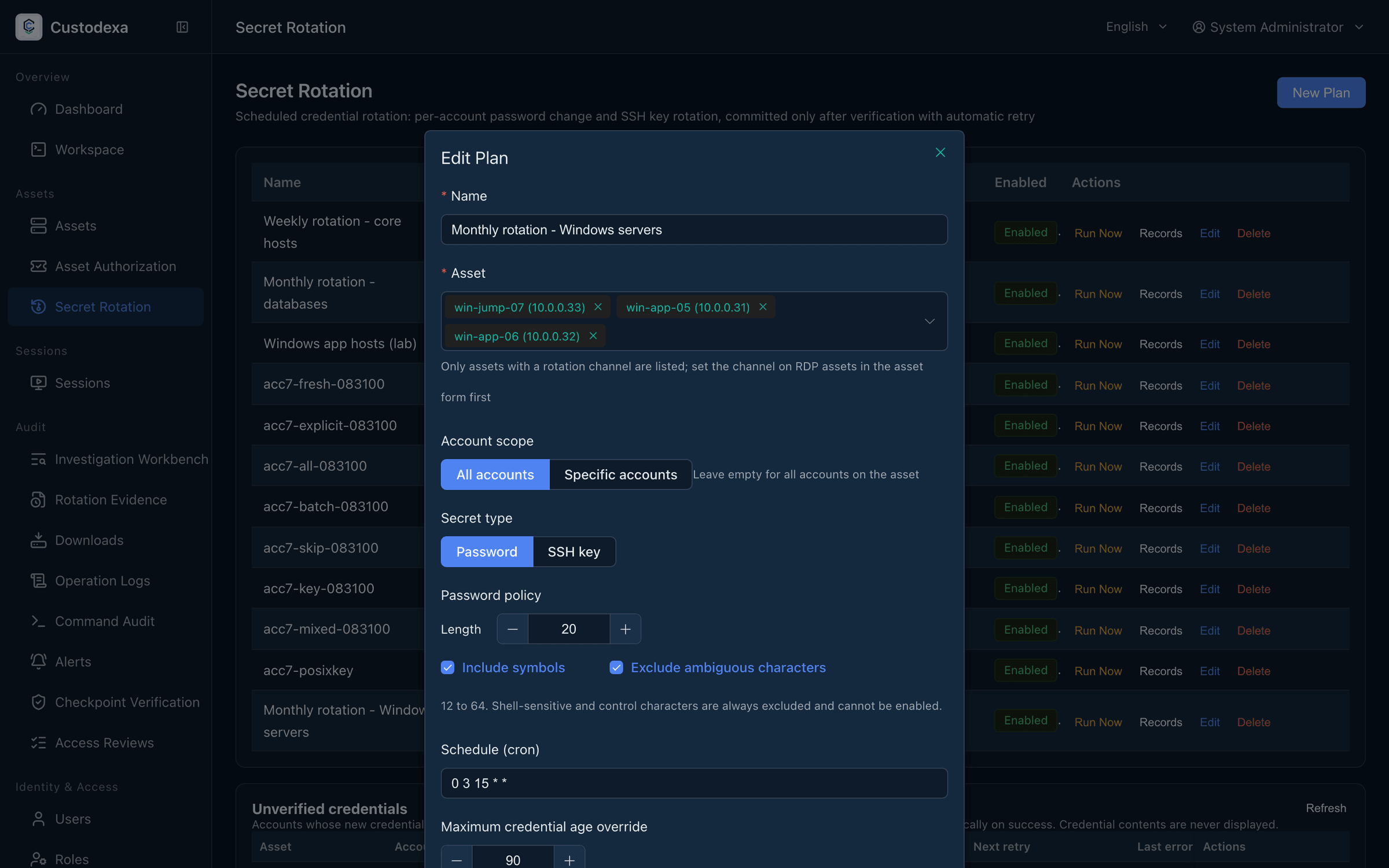
Section titled “2. Create a rotation plan”Go to the Secret Rotation page, put the asset into a plan, and choose password as the secret type. The Windows channels handle passwords, and the plan list carries a channel column to check against. Scheduling and manual runs work as they do for Linux rotation.
What one run does
Section titled “What one run does”- Open a session and send the account name, the old password, and the new one on standard input; the script text itself holds no credential.
- Change the password on the target.
- Verify on the spot: confirm on the target host that the new password signs in locally.
- When that verification does not pass, put the old password back then and there.
- The system separately opens a fresh connection with the new password and runs a command with no side effects as a second verification.
A target that cannot be reached before the command is sent is recorded as failed, the candidate is cleared, and the remote is unchanged. A connection lost or timed out after the command is sent is recorded as pending verification, the candidate is kept, and the retry mechanism takes over. Several accounts on one asset are handled in order, and WinRM has a ceiling on overall concurrency.
Account names are checked against the Windows rules of their own: length, characters that cannot be used, and names made entirely of dots or spaces. Non-ASCII characters, @, $, single quotes, and spaces in the middle are all allowed.
What auditors can see
Section titled “What auditors can see”- An execution record’s state is succeeded, failed, or pending verification, with the reason recorded as a machine code covering cases such as message level encryption being unavailable, the password not being delivered, the on-target verification failing, that verification failing with the rollback failing too, an incorrect old password, an account name that does not meet the rules, an unreachable target, and a remote state that cannot be known.
- When an asset’s protocol is changed to one the channel does not apply to, the system clears the channel settings and leaves a trail in the asset change record, which shows what the channel was.
- The transmission security channel inventory lists the assets with a WinRM channel set and their risk items; see Transmission security policy.