
Credential library
What this page covers
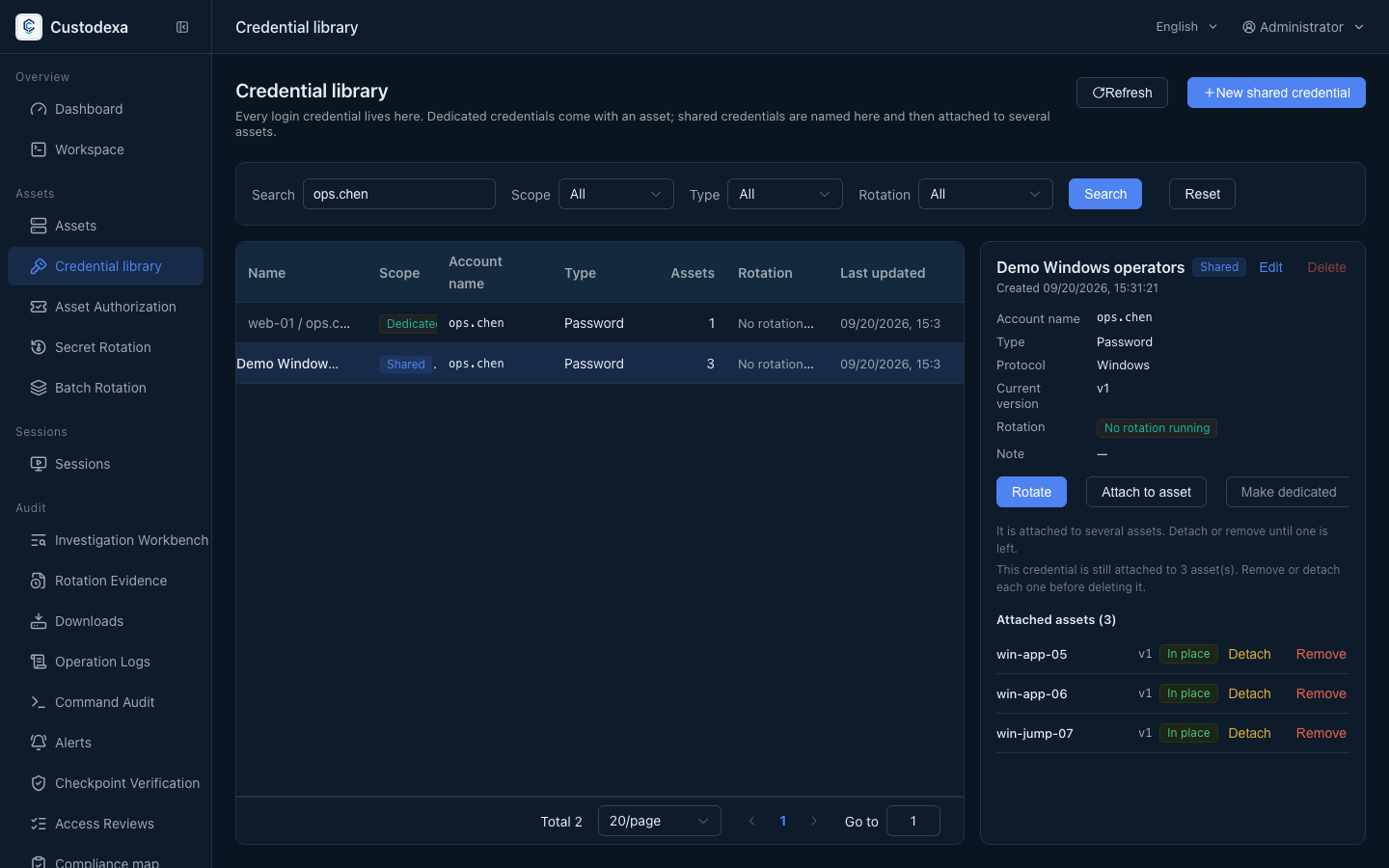
Section titled “What this page covers”The same password should not be copied across asset forms, with a hunt every time it changes. The credential library lists every login secret the system holds: a dedicated secret follows that asset account, a shared secret is named once and mounted on many hosts. Secrets are kept as versions, and each asset shows which version it is on. During a connection the backend takes the mounted version in memory and injects it. The browser never sees the cleartext.
One shared credential, version confirmed per host5 / 5
- One shared credential in the library is mounted on three hosts. Each host records its own live version.
- A password change stores a candidate secret first, then runs host by host. Each host has its own verification result.
- After host A verifies, only its mount cuts over to the new version. The other hosts advance on their own results.
- Hosts A and B have verified and cut over. Host C has no successful verification yet, so its mount still keeps the old version.
- Retry only host C, which is still on the old version. Its mount cuts over to the new version only after that host verifies.
Dedicated and shared
Section titled “Dedicated and shared”- Dedicated: follows that asset account, and serves only that host.
- Shared: one named credential, mounted on several asset accounts. A protocol mismatch does not appear in the list.
When creating or editing an asset, the login method is either dedicated to this asset or a shared credential already in the library. The edit drawer shows the account, the credential in use, and the version in place.
How a shared secret reaches each host
Section titled “How a shared secret reaches each host”Start a change from the library on one shared credential. Hosts are changed in the background. A host moves to the new version only after verification succeeds. The others keep the old one and can retry one host at a time. Each host can also receive its own new secret and leave the share, or one host can unmount.
A batch that uses one password for every host names the shared credential it produces, and later changes go through the library. The shared mark on the rotation evidence report comes from the credential itself, and the report writes which credential and which version that host used. To tick many hosts by account name, see Batch rotation by account name.
How to set it up
Section titled “How to set it up”Choose the creation path for the credential:
- Create a shared credential in the library, then select a protocol-compatible credential on the asset form.
- For a dedicated credential, select “Dedicated to this asset” on the asset form and enter the account name and secret. The credential is created together with its mount.
- Change, split, and single-host exit for a shared credential all start from that row in the library.
When a connection has more than one account, the chosen account and the version in place at that moment go into the session snapshot.
What auditors can see
Section titled “What auditors can see”- Reads and administration of the library use a dedicated audit class, and can be queried by class.
- Mount, unmount, and scope conversion (dedicated and shared) leave a record. The content holds no secret material.
- Rotation reports keep the credential name and a version snapshot from the run. The shared mark comes from the credential’s scope.