
Policy groups
What this page covers
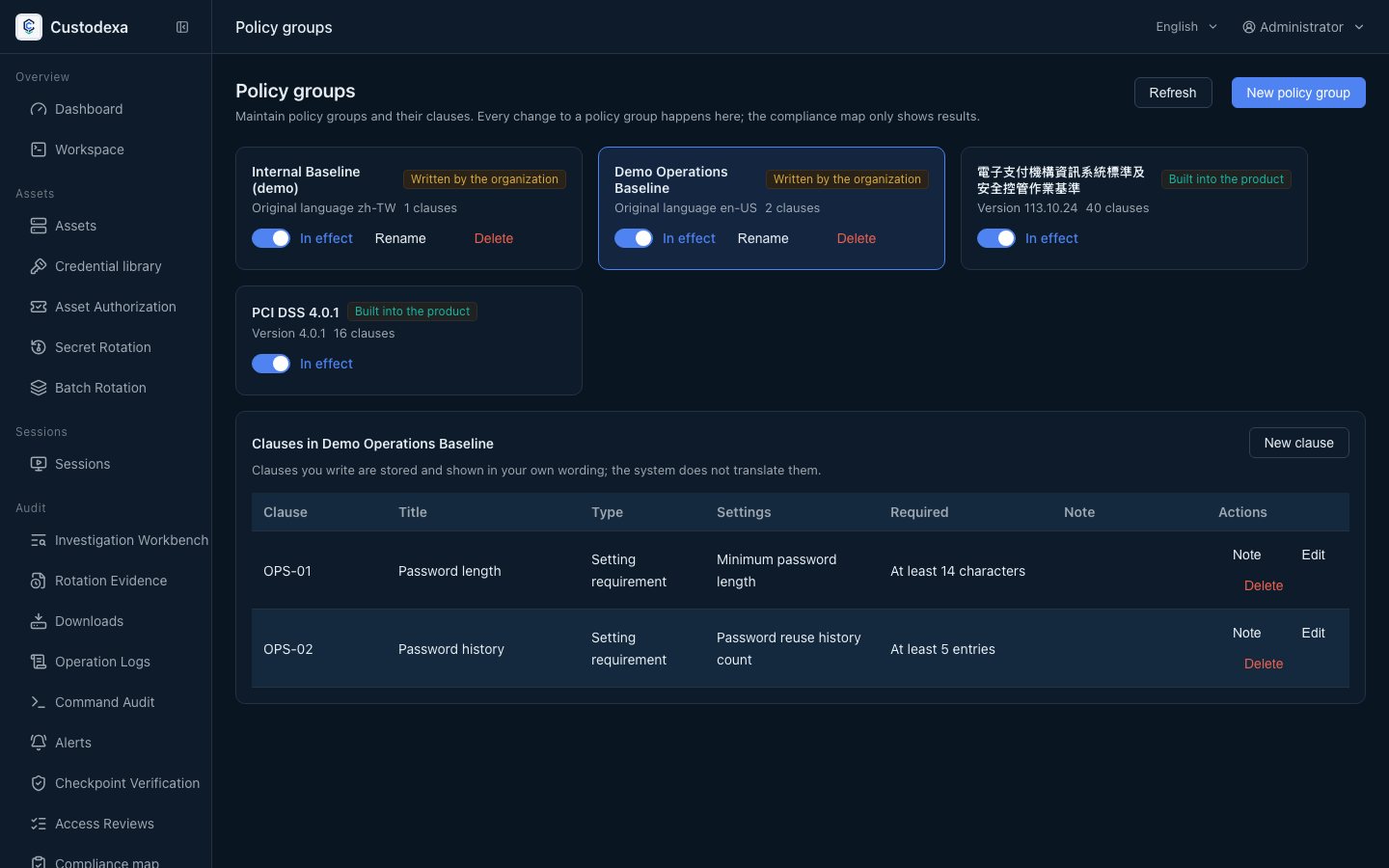
Section titled “What this page covers”Compliance requirements should not be frozen into two fixed columns on the screen. Policy groups are data: built-in groups are written at start, and several can be in force at once. Each clause maps to a setting as an exact requirement, an organisation self-attestation, or coverage without a value.
An organisation maintains its own groups: names, on or off, clauses, and deletion. A reference value needs administrator confirmation.
How a verdict is computed
Section titled “How a verdict is computed”One computation gives five verdicts for each setting × in-force group: match, deviate, awaiting human confirmation, awaiting auditor reading, not mapped. Only match and deviate count in the numbers. The deviation count on the settings page, the compliance map, and the apply preview read the same answer.
This page does not produce an outward compliance report.
How to set it up
Section titled “How to set it up”Go to Policy groups under system settings. That is the only place policy groups can be written.
- Enable or disable a built-in group, or add an organisation-defined group.
- When editing a clause, type, comparison direction, unit, and legal range come from the setting. Clauses awaiting confirmation are confirmed here.
- Each clause can take an organisation note. Writes go into the operation record, with the operator and before and after values.
The lists on the security policy page and the access control page keep only the label, the control, the unit, and the explanation. Clause numbers, requirements, and verdicts live in the drawer. The page head can apply one group or every in-force group: the preview lists only keys that will change, a stricter value is left alone, and a conflict between groups is left to the administrator. It takes effect when you save.
After an upgrade, each group stays enabled or disabled as it was.
What auditors can see
Section titled “What auditors can see”- Writes to policy groups and clauses, notes, and named confirmations all record the operator and before and after values.
- Apply preview and the actual save leave separate traces.
- The settings drawer links to who last changed that key and to the record.