
Batch rotation by account name
What this page covers
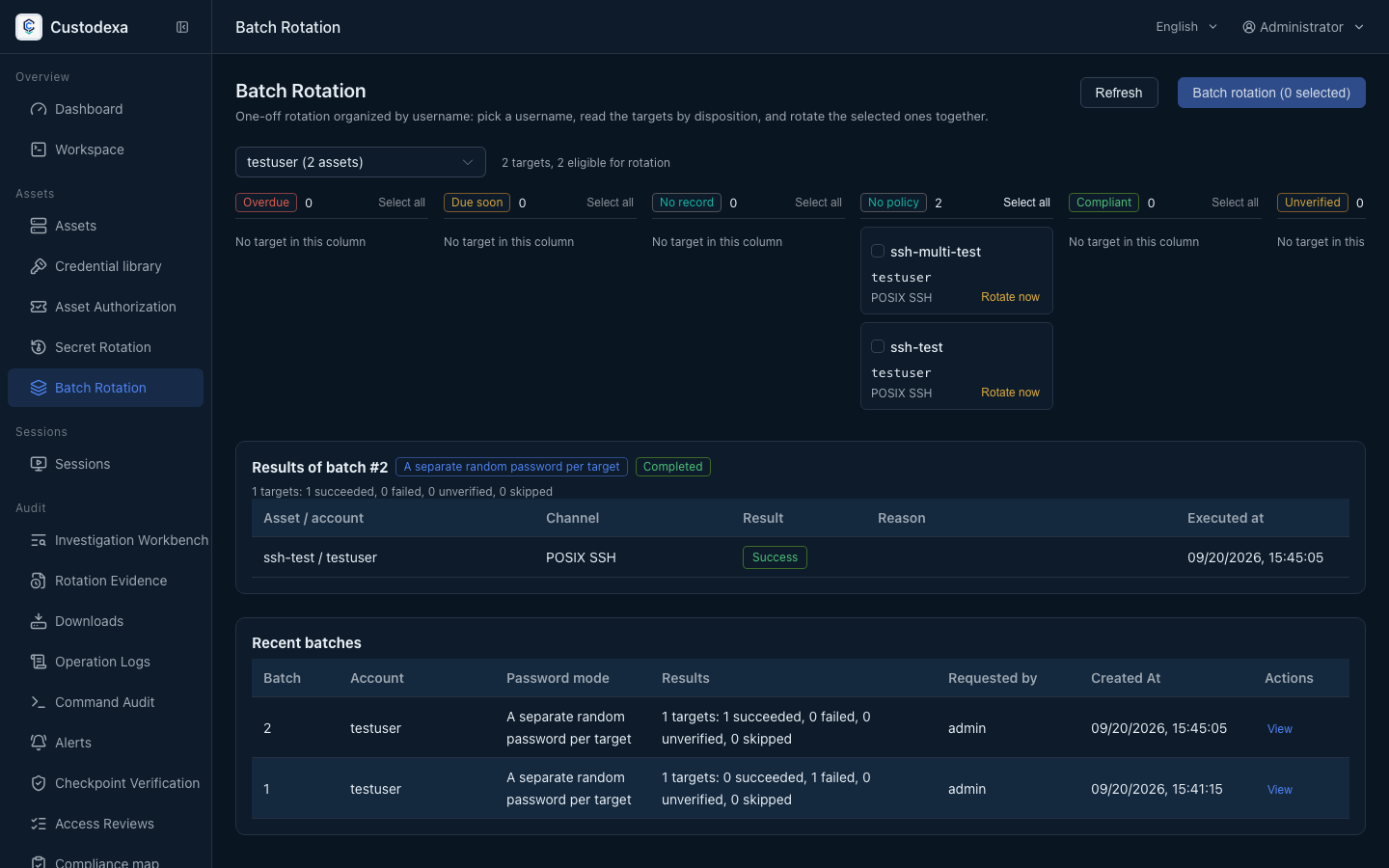
Section titled “What this page covers”When the same account name is open on many hosts, there is no need to build a plan per host. Batch rotation ticks managed hosts by account name and runs once: a random password per host by default, or one password for the batch, which leaves a named shared credential in the library. Each host is recorded on its own. A failure on one does not stop the others.
What one batch does
Section titled “What one batch does”- List matching managed hosts by account name, and tick the range.
- Pick random per host, or one password for the batch.
- Per host, create a candidate, change it on the target, and verify with a sign-in using the new secret. Only a passing verification advances that host’s version.
- When the batch uses one password, name the shared credential it produces. Later changes go through the credential library.
Linux and Windows local accounts share this batch entrance. Existing scheduled plans are unchanged. Plan pages: Linux passwords and SSH keys, Windows local accounts.
How to set it up
Section titled “How to set it up”Go to Batch rotation.
- Enter an account name. The system lists managed hosts where that account exists.
- Tick the hosts to change.
- Pick random per host, or one password for the batch.
- After submit, the records show success, failure, or unverified per host.
A failed host can retry on its own. The whole batch does not have to run again.
What auditors can see
Section titled “What auditors can see”- One result row per host, verified and recorded host by host.
- One password for the batch leaves a named shared credential. The rotation evidence report writes which credential and which version that host used.
- Later reads and changes of that credential in the library use a dedicated audit class.