
The three-tier access policy
What this page covers
Section titled “What this page covers”Once identity is verified, policy decides whether the connection happens. Layer 02 turns “does this connection go through a gate first” into a per-asset setting: every asset can be set to direct connection, reason required, or approval required, and an asset without a setting follows the global default. The policy hangs on the asset itself rather than on the organizational structure, so moving a machine to another node leaves its tier alone.
The three tiers
Section titled “The three tiers”| Tier | Behavior |
|---|---|
| No request needed | Authorization is enough to connect |
| Reason required | Filling in the reason lets the connection through at once, and the reason enters the record |
| Approval required | A request is created, and the time-limited authorization arrives after the approval |
The policy gate sits at the point where the connection ticket is issued, runs after the authorization check, and applies alike to SSH, RDP, VNC, database, and container connections. Tiers other than direct connection admit only temporary authorization inside its window, and a standing authorization is overridden by the policy. Administrators are exempt from this gate; the auditor role is not.
How to set it up
Section titled “How to set it up”Global default
Section titled “Global default”Go to the Access Control page. The first section is the connection policy, where “global default access policy tier” ships as no request needed. The in-force policy groups’ requirements for that key sit in the drawer; several groups may be in force at once, with different requirements.
The same page holds two more sections, request parameters and emergency connections:
| Policy | Shipped value |
|---|---|
| Maximum requested duration (minutes) | 1440 |
| Timeout for a pending request (hours) | 72 |
| Minimum number of approvals | 1 |
| Revocation cuts the connection | Off |
Per-asset overrides
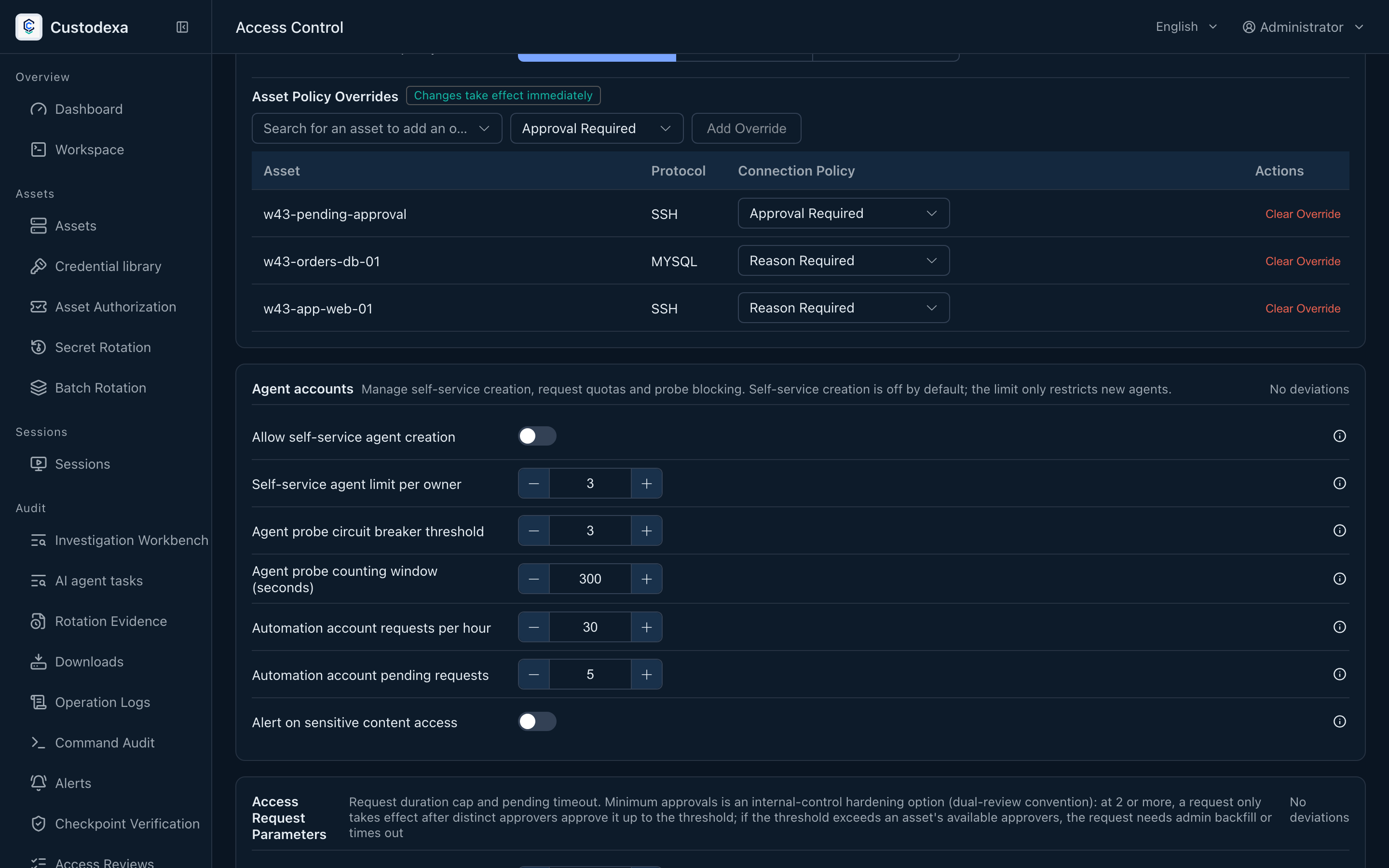
Section titled “Per-asset overrides”Lower on the same page is the “asset policy overrides” table, which lists only the assets that have one. Pick an asset in the search box, choose a tier, and press “Add override”. Each row’s dropdown holds “Clear the override (follow the global setting, currently: X)”, where the parentheses show the live global value so you know which tier clearing it lands on. Changes take effect immediately.
The connection policy of a single asset can also be changed in the asset editor.
Policy group comparison
Section titled “Policy group comparison”The list keeps only the label, the control, and the explanation. Clause numbers and each group’s requirements sit in the drawer; the deviation count at the top of the page and the Compliance map read the same verdicts. The page head can apply one group or every in-force group, previews the keys that will change, and takes effect when you save. How to maintain the groups: Policy groups.
Access policy also controls owner self-service agent creation and quotas. Sensitive-original access can trigger an alert under policy. An agent connects only through approved request items. See AI agent accounts and tokens and MCP automation connections.
What auditors can see
Section titled “What auditors can see”- A connection attempt stopped by policy returns a machine code (missing reason or missing approval) along with the duration ceiling and the identifier of any request in flight.
- A connection where an administrator was exempt from the policy gate carries an exemption marker in the record and can be found afterwards.
- Every change to a policy key leaves a record with the person, the key, and the old and new values.
- A change to an asset’s tier leaves its trail with the asset change.
- The asset list is annotated by the server with each asset’s current connectability: connectable, reason required, approval required, or under review, with the identifier of the request in flight on the last one. The frontend derives none of this itself.