
Evidence bundles and event reports
What this page covers
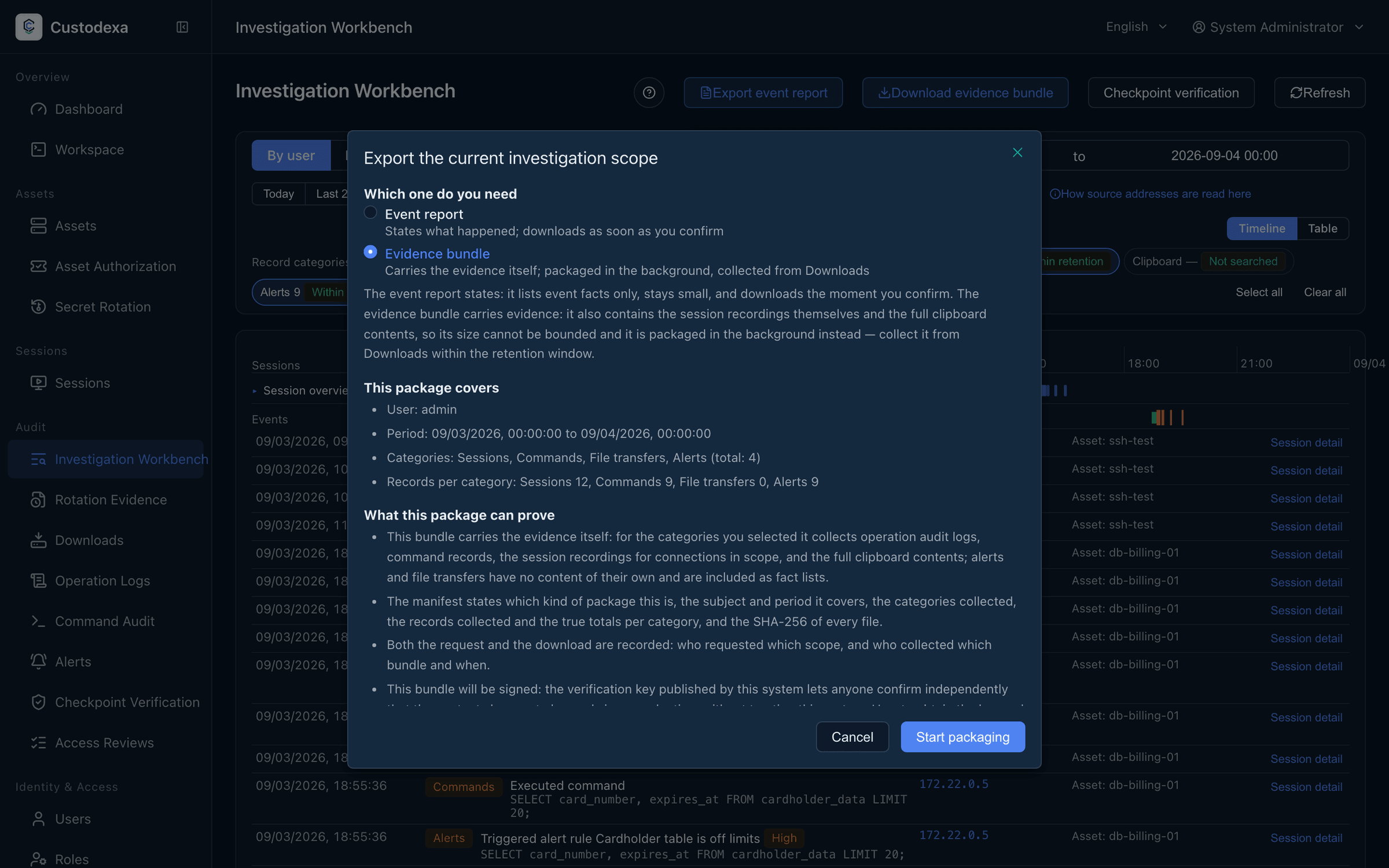
Section titled “What this page covers”Handing over the evidence inside an investigation’s scope. There are two deliverables: an event report states what happened and arrives as soon as you press the button; an evidence bundle carries the exhibits themselves, recordings included, is packaged in the background, and is collected from the downloads page when it is ready. Both carry a manifest and a signature over the package, and the per-file content hashes verify offline.
What you need
Section titled “What you need”Audit view permission. This check is enforced unconditionally and no deployment setting routes around it.
How to start one
Section titled “How to start one”Set the investigation scope in the investigation workbench, then press “Export event report” or “Download evidence bundle”. The dialog carries over the current pivot subject, time window, and category selection.
Six categories can be ticked individually: connections, commands, operation logs, file transfers, clipboard, and alerts. A category left unticked stays out of the package entirely, and its count field is absent from the manifest as well, rather than a 0 pretending a search was made.
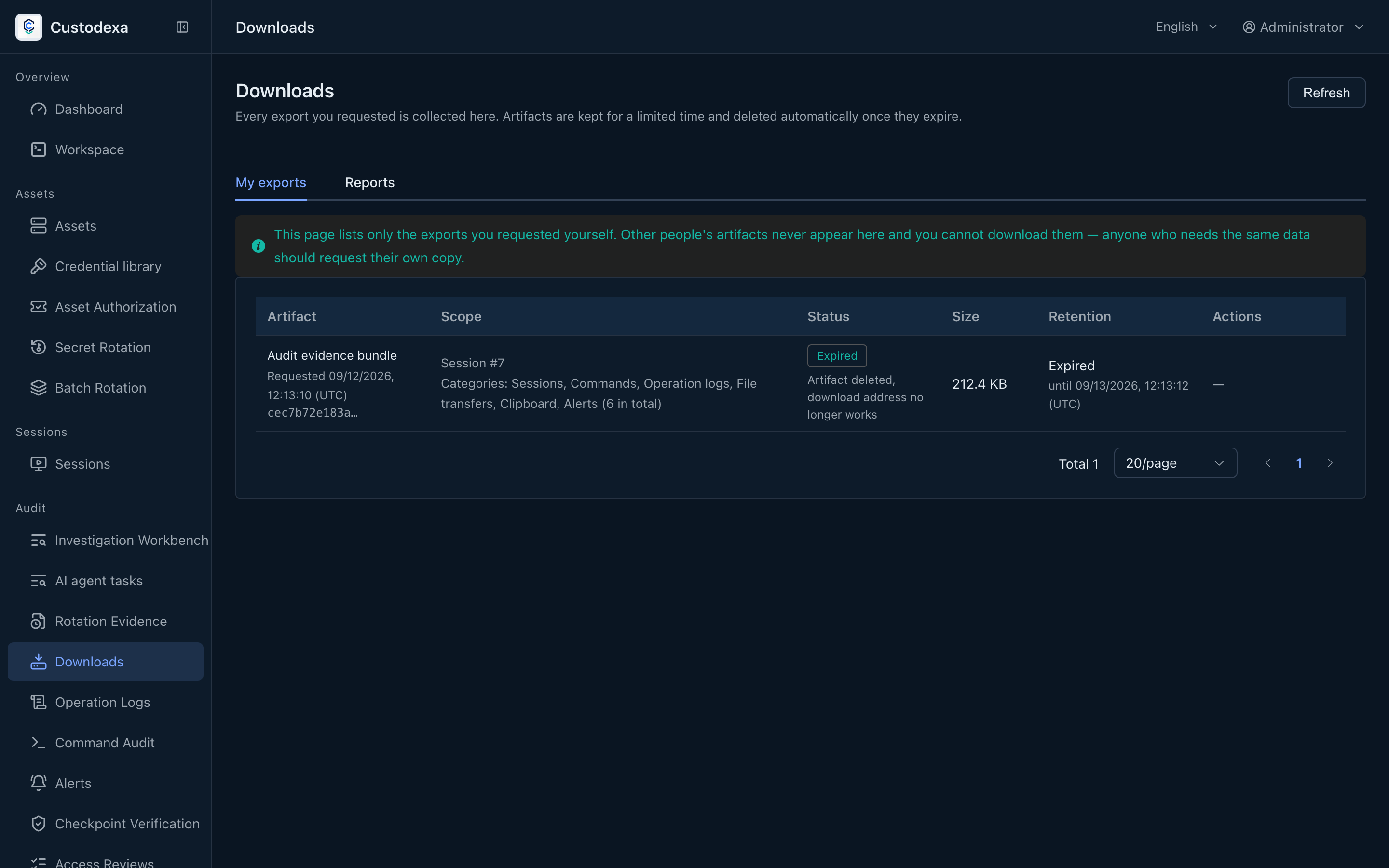
Evidence bundle jobs in flight have a ceiling: 3 per person and 10 across the system. Packages are kept for 24 hours, and the job records themselves for 30 days.
The downloads page
Section titled “The downloads page”The Downloads page has My exports, Rotation reports, and Reports tabs. Reports contains shared compliance reports from the Compliance map.
An evidence bundle is downloadable only by its requester. A compliance report is shared and can also be downloaded by another account with audit view permission. When a package has expired or the packaging failed, the status says so plainly. The row shows the package’s content hash for the recipient to check against.
While packaging runs, the system reconfirms that the requester’s identity and permission are still valid, and cancels the job and clears the package when they are not.
What is in a package
Section titled “What is in a package”Event report
Section titled “Event report”One CSV per category, where the first column of every row is a record reference of the form category plus number, drawn from the same source as the events on the timeline. The connections CSV carries a recording state column (available, purged, no recording) without the recording itself. The clipboard CSV carries the direction and the content length without the content.
Evidence bundle
Section titled “Evidence bundle”The event report plus the exhibits themselves: the full content of operation logs, seventeen columns of commands and statements, clipboard content, and the recording files of each session. When clipboard content cannot be retrieved, that row is marked as a failure rather than given an empty string.
An evidence bundle that includes operation logs can also contain masked AI agent ledger data in agent_tool_calls.json. See Tool call ledger.
The manifest
Section titled “The manifest”manifest.json is the last file written into the package, so a package without a manifest means the export failed partway and is not evidence. It holds:
- The kind of deliverable, the exporter and their identifier, and the times of the request and the actual packaging.
- The filters, the job identifier, and the categories selected.
- The name, size, and SHA-256 of each file.
- The rows included per category, the true number in range, and whether it was truncated.
- Coverage state in three values, within retention, purged under policy, and never purged, where a purge adds the retention days, the purge cutoff, the most recent purge time, and the matching sealing interval.
- The signature state. When the signing capability is unavailable, the manifest states that the package is unsigned and why, rather than dropping the signature file silently.
- Disclosures, such as the formula escaping rule for CSV files.
manifest.sig is an Ed25519 signature over the bytes of the manifest. Verifying it proves that the manifest and the hash of every file in it are unchanged since the export.
The public key can be obtained from the system and is also shown on the key management page.
The manifest holds no prose: coverage notes and disclosures give machine codes and parameters only.
Ceilings
Section titled “Ceilings”An evidence bundle takes 50000 operation logs, 50000 commands, and 100 recording files. Each category of an event report has its own 50000 rows, deliberately not sharing one total. When a ceiling is reached, the truncation flag and the true count in the manifest make it clear.
Formula escaping in CSV
Section titled “Formula escaping in CSV”A cell whose first character is an equals sign, a plus, a minus, an at sign, a tab, or a carriage return gets a leading apostrophe, and plain numbers are untouched. This keeps a spreadsheet from running the content as a formula. There is one rule, shared with the system’s other CSV exports, and JSON files do not apply it. To read the exact original text, use the record reference to look it up in the system.
What auditors can see
Section titled “What auditors can see”- Starting an export leaves a record in itself.
- Every download leaves a record with the person, the time, which package, and that file’s content hash.
- The package is queued for offsite upload in the same transaction that completes it; when the local package is gone and the offsite copy remains, the backend fetches it back and delivers it after confirming the hash and size match.
- Exporting is not offered while investigating from the source address pivot; the button is disabled and says which pivot to use instead.
- An address filter under a person or asset pivot stays out of the export scope, and the interface says so before you start.