
Requests and approvals
What this page covers
Section titled “What this page covers”A person or AI agent can request several assets for one task. Each item records its asset, account scope, and time window. Approvers decide per item, and approved items produce time-limited authorization.
How to set it up
Section titled “How to set it up”File a request
Section titled “File a request”From an asset or task request screen, enter the task, actor, reason, start time, and duration, then add assets and account scopes. An agent uses request_access over MCP automation connections and specifies a scope for each asset. The requester sees item states in My requests and can withdraw a pending request.
Decide per item
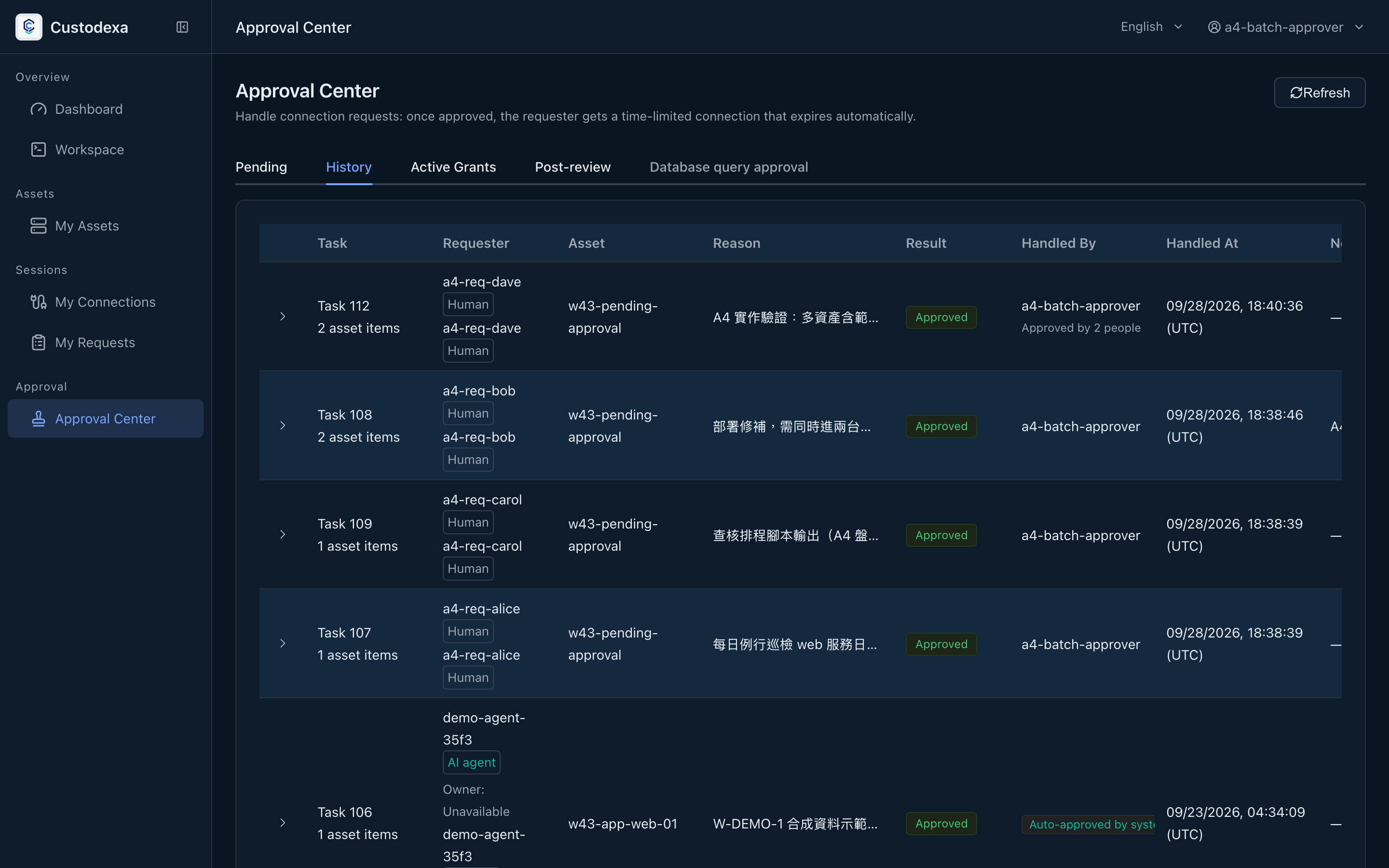
Section titled “Decide per item”The Approval center shows the request and each scope. An approver can shorten duration, defer the start, narrow account scope, remove an item, or reject it, and reviews a summary before submitting. Once the required approval count is met, approved items receive time-limited authorization. Requesters cannot approve their own requests.
The pending list supports batch approval or rejection at the requested values. It checks scope separately for each request and returns per-request results with a batch correlation ID. Requery items after a partial result. Use individual review when changing scope.
Revoke and close a task
Section titled “Revoke and close a task”Revoke a whole request or one task item. Related agent sessions are closed on revocation. A task closes through close_task or when every item expires or is revoked. Task details preserve closure time and report versions. Reports are labeled as the agent’s account; per-item decisions remain the authorization record.
Approver scopes
Section titled “Approver scopes”Administrators assign approvers by asset, node, requester, or requester group. The approver side can be a person or group. Administrators maintain roles and scopes.
What auditors can see
Section titled “What auditors can see”Requests, item decisions, batch results, withdrawals, revocations, and task closure can be traced. Task details connect owner, approved scope, sessions, ledger, and report versions. The recording is the source of truth for text sessions; input without echo leaves no command-text record. The query console’s structured statement record is the source of truth for that query.